AI Training for Executive Assistants Who Want to Become Indispensable
⚡ This webinar was delivered live on March 24. Contact R Creative to bring it to your team.
Why This Matters Right Now
The executive assistants who figure out AI right now are about to become the most valuable EAs in the market. Not because AI replaces what you do, but because it amplifies it. The ones who wait? They’ll spend the next two years watching someone else get the promotion.
AI adoption among administrative professionals has more than doubled in the last year alone. The role of the executive assistant is shifting from task execution to strategic partnership, and AI is the catalyst. EAs who can build automated workflows, draft in their executive’s voice, and synthesize information faster than anyone else on the team aren’t just keeping up. They’re becoming indispensable.
Most AI training out there falls into one of two categories: expensive multi-day conferences that cost thousands of dollars, or generic “top 10 AI tools” listicles that don’t actually teach you how to use any of them. That’s the gap this webinar fills.
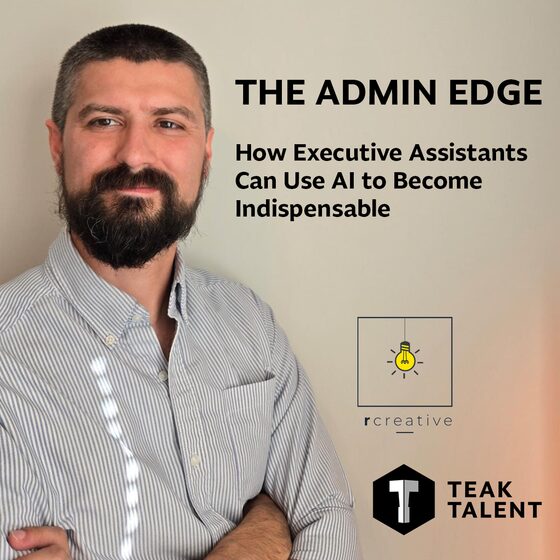
Hear It From Joshua
Two minutes with Joshua before you commit two hours to the session. This is the whole philosophy behind The Admin Edge.
If this resonates, bring it to your team.
“Here’s the thing most people don’t tell you about AI: the tool itself isn’t the hard part. The hard part is knowing how to talk to it, how to set it up for your specific job, and how to stop wasting time on things a well-built prompt could handle in seconds.”
What You’ll Learn
Every AI tool runs on context. Give it too little and you get garbage. Give it too much and you’re burning through your plan’s token limits for no reason.
You’ll learn how to structure your inputs so the output is usable on the first pass, not the fifth.
Choosing the right AI tool matters, but setting it up correctly matters more. We’ll walk through:
The most mind-numbing parts of your admin job? We’re going to systematize those. You’ll build repeatable AI workflows that handle:
Everything You Get
Not a slide deck lecture. Actual walkthroughs you can follow along with in real time.
Ask about your specific situation, your tools, your workflow. Get answers that actually apply to you.
So you’re not scrambling to take notes while we’re moving. Everything documented and ready to use.
The prompt he uses to turn any call transcript into a polished, professional how-to document. This one alone is worth the price of admission.
Is This Right for You?
About Your Instructor
Joshua is the CEO of R Creative, a marketing technology agency that builds systems connecting websites directly to CRMs, ERPs, and marketing platforms. He runs AI-assisted workflows across his own businesses every single day, from email triage and meeting prep to content creation and client communication.
He’s not teaching theory. He’s teaching what he actually uses.
Joshua built his own executive assistant workflows using AI before he ever thought about teaching them. His system prompt for voice-matched drafting, his email triage automation, and his transcript-to-document pipeline are all tools he developed for his own team. Now he’s packaging those lessons (and the prompts themselves) into a two-hour session designed for EAs who want real, usable skills they can apply the same week.
From the March 24 Session
My biggest frustration was that I wasn’t aware how to best use AI in my day-to-day routine. The Admin Edge changed that. I’ve already created a prompt to ask AI to execute a 7-day plan to level up my understanding and usage. This session offers such great insight into the world of AI, especially if you’re a beginner or still testing it out. The practical steps to incorporate AI into a daily EA routine are worth it alone.
I’ll be honest, I was leary. But the approach changed everything for me: lean into AI, use it for the tasks running in the background, and stay human where it counts. I’m not afraid to build my own project anymore. I already have ideas and I’m excited to keep going. This session is thought-provoking and educational. It teaches you how to leverage your time in a way that actually sticks.
Bring This to Your Team
| Format | Private live webinar for your team |
| Instructor | Joshua Rystedt, CEO of R Creative |
| Includes | Live instruction, Q&A, written materials, and master prompt template |
| Scheduling | Contact R Creative to discuss availability |
The Admin Edge was built for teams. Bring your executive assistants, administrative professionals, and office managers through the same two-hour session — live, with Q&A, and tailored to your team’s tools and workflow.
Schedule a Webinar for Your TeamCommon Questions
Not at all. If you can use email and a web browser, you have everything you need. We’ll walk through each concept step by step with live examples. No coding, no command lines, no jargon.
You don’t need to purchase anything ahead of time. Part of the session covers how to choose the right tool for your business. We’ll discuss the major platforms (ChatGPT, Claude, Gemini, Copilot) and help you figure out which one fits your workflow and budget.
The March 24 session has now concluded. If you’re interested in bringing this training to your team, contact R Creative to discuss scheduling a private session.
Absolutely. The principles we cover (prompting, context management, workflow automation) apply to anyone who uses AI in a professional setting. If you draft communications, manage information, or handle recurring admin tasks, you’ll get value from this session.
It’s a prompt Joshua built and uses in his own business to take any recorded call transcript and turn it into a polished, professional how-to document. You’ll receive the full prompt with instructions on how to customize it for your own use. Think of it as a ready-made workflow you can deploy the same day.
Most AI training for EAs is either a $2,000+ conference or a generic overview that doesn’t go deep enough to be useful. This is a focused, two-hour session taught by someone who runs these exact workflows in his own business. You’re not learning from a slide deck. You’re learning from someone who does this every day.
Get in Touch
Tell us a bit about your team and we’ll follow up to discuss scheduling, pricing, and how to customize the session for your organization.
Ready to become the EA everyone wants on their team?